How to Rob a Train in BitLife – Train Robbery Times & Guide
How to Rob a Train in BitLife – Train Robbery Times & Guide
Robbing a train in BitLife is one of the most unusual ways to make a large amount of money in the game. Unlike many other crime activities, Train Robbery depends heavily on the real-world time shown on your device. You need to choose one of the available robbery times and attempt the heist when that exact time arrives. If your timing is wrong, the train may not arrive and the robbery can fail.
Need cash fast without crime? Read how to get rich in BitLife without paying, or get the latest BitLife MOD APK.
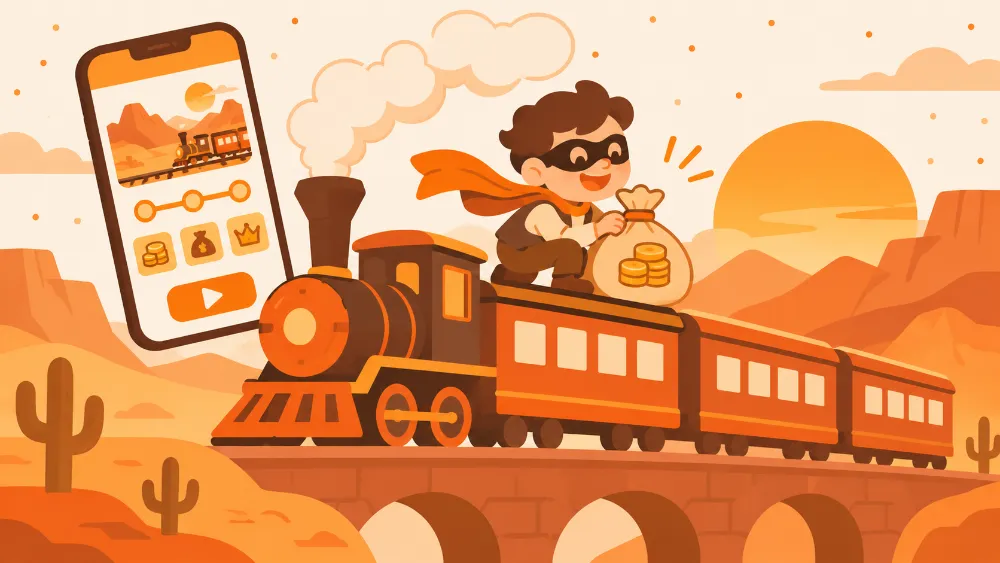
The Train Robbery option becomes available through the Activities > Crime section once your character is an adult. You can choose a train and then select a time such as Sunrise, High Noon, 4:20 PM, Sunset, or Midnight. The important part is not simply selecting the correct option, but matching it with the corresponding real-life time.
This guide explains how to rob a train in BitLife, the exact train robbery times, how the timing system works, what happens when you fail, and how to avoid the common time-cheating mistake. It also covers the Midnight train achievement and provides practical tips for completing the robbery successfully.
What Is Train Robbery in BitLife?
Train Robbery is a special crime activity in BitLife that allows an adult character to attempt a virtual train heist. It is different from normal crimes because the game connects the robbery opportunity with real-world time. This means your device clock becomes an important part of the gameplay mechanic.
After selecting Train Robbery, you are presented with train and timing choices. The particular train you select generally does not determine whether the robbery succeeds; the critical part is choosing a robbery time that matches your actual local time.
When Does Train Robbery Unlock?
Your character needs to reach adulthood before attempting the robbery. Once your character is at least 18, open Activities, select Crime, and look for Train Robbery. A previous criminal record is not required to access the activity according to available gameplay guides.
How to Rob a Train in BitLife
The basic process is simple, but the timing makes this activity much harder than ordinary BitLife crimes. First, make sure your character is an adult and that Train Robbery is available in the Crime menu. Then choose the robbery option and prepare for one of the available real-time windows.
The most important rule is to match the selected option with your actual local clock. If you choose Midnight, for example, you should attempt the robbery when your real-world clock reaches 12:00 AM. Player reports from 2025 and 2026 continue to describe this real-time matching mechanic.
Step-by-Step Train Robbery
- Open BitLife and select an adult character.
- Go to Activities from the main character screen.
- Open the Crime section.
- Select Train Robbery.
- Choose any available train.
- Select the time that matches your current real-world time.
- Confirm the robbery when the selected time arrives.
- If successful, collect the resulting cash reward.
The key is to prepare before the target minute rather than opening the menu after the time has already passed. Setting a reminder shortly before the selected time can make the process easier.
BitLife Train Robbery Times
BitLife provides five main timing options for the train robbery. Each option corresponds to a specific real-world time. You should select the option that matches your local clock as closely as possible.
| BitLife Train Time | Real-World Time |
|---|---|
| Sunrise | 6:00 AM |
| High Noon | 12:00 PM |
| 4:20 PM | 4:20 PM |
| Sunset | 6:00 PM |
| Midnight | 12:00 AM |
These time slots have been consistently reported across BitLife train robbery guides and recent player discussions. The timing is based on your actual local time rather than simply the time displayed inside your character’s life.
Sunrise
The Sunrise train corresponds to approximately 6:00 AM. If you want to use this option, have BitLife ready shortly before 6 AM and select Sunrise when the real-world clock reaches the appropriate time.
Because the window is short, being prepared beforehand is important. Opening the game and navigating through multiple menus after 6 AM can increase the chance of missing the opportunity.
High Noon
High Noon corresponds to 12:00 PM. This can be one of the easier opportunities because it occurs during the middle of the day for most players.
Open BitLife before noon and navigate to Train Robbery in advance. When your local clock reaches 12:00 PM, select the High Noon option and complete the robbery promptly.
4:20 PM
The 4:20 PM option is exactly what it sounds like. You should attempt this robbery at 4:20 PM in your local time.
This option is particularly easy to remember because the game displays the actual time instead of using a descriptive name. Make sure you do not confuse 4:20 PM with another afternoon time, as the timing requirement is specific.
Sunset
The Sunset option corresponds to approximately 6:00 PM. Prepare the Train Robbery menu before the clock reaches 6 PM so you can make your selection without unnecessary delay.
If the train does not arrive, the most likely issue is that the selected time did not match the real-world timing closely enough. You can wait for another available robbery window and try again.
Midnight
The Midnight option corresponds to 12:00 AM. It is also particularly useful for players trying to unlock the Going Anywhere achievement, which is associated with successfully robbing the midnight train.
Midnight can be inconvenient because you have to stay awake or prepare your device late at night. A practical method is to open BitLife shortly before midnight and navigate to the Train Robbery screen before the clock changes.
Why Does My Train Robbery Keep Failing?
The most common reason a BitLife train robbery fails is incorrect timing. Selecting a train at a random time does not guarantee that it will arrive. If the real-world clock does not match the selected robbery time, the game can produce an unexpected delay or simply fail to provide the train.
Another common mistake is trying to change your device’s clock to force the desired robbery time. BitLife has a time-cheat protection mechanic, and multiple guides report that manually changing the device clock can cause the robbery to fail and can even result in the character being killed by the train.
Do Not Change Your Phone Time
Changing your phone’s date or time might seem like an easy shortcut, but it is not a reliable method for Train Robbery. BitLife can detect time manipulation, and the resulting outcome can be much worse than simply missing the train.
Instead, use the actual time in your timezone. This is slower, but it follows the intended game mechanic and avoids the time-cheat consequence reported by multiple sources.
Prepare Before the Exact Time
The best practical strategy is to open BitLife a few minutes before the target time. Go to Activities > Crime > Train Robbery and stop before confirming the robbery.
For example, if you want the Midnight train, open the game around 11:58 PM and have the robbery screen ready. When your clock reaches 12:00 AM, select Midnight and confirm the robbery immediately. Player reports describe this preparation method as a reliable way to avoid missing the short timing window.
How Much Money Can You Get From a Train Robbery?
A successful train robbery can provide a very large amount of in-game money compared with many ordinary activities. Reported rewards vary between playthroughs, so there is no single guaranteed payout for every character.
Various gameplay reports place successful robbery rewards in the millions, with some sources reporting ranges such as approximately $5 million to $30 million or higher depending on the outcome. Because the amount can vary, it is better to treat the robbery as a potentially lucrative activity rather than expect a fixed reward.
Is Train Robbery Worth It?
If your goal is to build wealth quickly inside BitLife, Train Robbery can be extremely useful. A successful attempt can provide enough money to significantly change your character’s financial situation.
However, the activity requires precise timing and can have serious consequences if you attempt to manipulate the device clock. If you do not need the money immediately, you can simply wait for a legitimate robbery window instead of taking unnecessary risks.
How to Get the Going Anywhere Achievement
The Going Anywhere achievement is associated with successfully robbing the Midnight train. To attempt it, your character must be eligible for Train Robbery and you need to choose Midnight as the robbery time.
The important part is waiting for 12:00 AM in your actual local time. Open BitLife shortly beforehand, navigate to Train Robbery, select Midnight when the clock reaches the correct time, and complete the attempt.
Best Strategy for Midnight Train
Set a reminder for a minute or two before midnight and open BitLife before the target time. Keep the Train Robbery menu ready instead of waiting until the clock reaches midnight to begin navigating through the menus.
When your device reaches 12:00 AM, select Midnight and confirm the robbery. Do not change your device clock to reach midnight early because time manipulation can trigger the game’s anti-cheat behavior.
Tips for Successfully Robbing a Train
Train Robbery becomes much easier when you prepare in advance. The most important tip is to use your real local time rather than trying to force the game into a different time. Choosing the correct timing option and being ready before the target minute can save you from repeatedly missing the train.
You should also remember that the train name or station is generally less important than the timing. Focus your attention on the five available time slots and select the one that corresponds to your actual clock. If you miss one window, wait for another rather than changing your device settings.
Keep Your Game Open
Opening BitLife shortly before your chosen robbery time reduces the number of steps you need to perform at the exact moment. This is especially useful for Sunrise and Midnight, when you may not want to waste time navigating menus.
Use a Reminder
Set an alarm or reminder a few minutes before your chosen robbery time. This gives you enough time to open BitLife, select Activities, enter Crime, and reach Train Robbery before the target minute.
Match Your Local Time
Always use the clock in your actual timezone. If it is 4:20 PM where you are, choose the 4:20 PM train option. The real-time mechanic is the central requirement for successfully completing this BitLife crime activity.
Avoid Time Manipulation
Do not manually change your phone or computer clock to match a robbery time. Multiple sources report that BitLife can detect this and may cause the train robbery to end badly rather than giving you the expected reward.
Frequently Asked Questions About Robbing a Train in BitLife
How do you rob a train in BitLife?
Reach adulthood, open Activities, select Crime, and choose Train Robbery. Select a train and choose a robbery time that matches your actual local time.
What time can you rob a train in BitLife?
The commonly reported options are 6:00 AM, 12:00 PM, 4:20 PM, 6:00 PM, and 12:00 AM. These correspond to Sunrise, High Noon, 4:20 PM, Sunset, and Midnight.
What is the best time to rob a train?
There is no universally best time because the important factor is matching the selected option to your real-world clock. Choose whichever available time is convenient for you and be ready before it arrives.
Why does the train not show up?
The most common reason is that your selected time did not match the actual time closely enough. You may also miss the opportunity if you are too slow to confirm the robbery.
Can you rob a train at any time?
No. Train Robbery uses specific timing windows rather than allowing you to choose any random time. You need to use one of the available options and match it with real-world time.
Can you change your phone time to rob a train?
You should not. BitLife’s time-cheat protection can detect clock manipulation, and reported consequences include the train killing your character.
How much money does Train Robbery give?
The payout is variable, but successful train robberies can provide millions of in-game currency. Reported amounts vary significantly between players and sources, so there is no guaranteed fixed reward.
How do you rob the Midnight train in BitLife?
Open Activities > Crime > Train Robbery before midnight. When your real-world clock reaches 12:00 AM, select Midnight and complete the robbery immediately.
What achievement do you get for robbing the Midnight train?
Successfully robbing the Midnight train can unlock the Going Anywhere achievement.
Final Thoughts
Robbing a train in BitLife is a unique crime activity because success depends less on traditional character statistics and more on real-world timing. The five main options are Sunrise at 6 AM, High Noon at 12 PM, 4:20 PM, Sunset at 6 PM, and Midnight at 12 AM. Choosing the option that matches your actual local time is the key to giving the train robbery the best chance of succeeding.
The easiest approach is to open BitLife a few minutes before your chosen time and navigate to Activities > Crime > Train Robbery. Keep the screen ready, wait for the correct real-world time, and then select the matching option. Most importantly, avoid changing your device clock because the game can detect time manipulation and may turn the attempted robbery into a disastrous outcome.
If you want the Going Anywhere achievement, Midnight is the specific train to target. For general money-making, any successful robbery can provide a substantial amount of in-game cash, although the reward varies. With proper timing and a little preparation, Train Robbery can become one of the most rewarding and memorable activities in BitLife.